The premise. When an AI agent calls tools that change real systems, some of those tools are dangerous. Different kinds of danger need different humans to approve them. A user truncating their own data is one thing — they can decide for themselves. An agent applying a schema migration to a shared database is something else entirely — that's a platform-team decision, and the end user shouldn't be the one to wave it through.
So this lab builds two human-in-the-loop gates on the same agent, each with its own audience and its own UI. The gates are not interchangeable — they exist precisely because the approver is a different person in each case.
Tier 1 · Agent-side HITL
"You're about to do something. Are you sure?"
- Who approves
- The end user — the same person who asked the agent to do the thing.
- Where
- An approval card inside the kagent chat they're already in. They don't switch tabs.
- Why this UI
- The kagent dashboard already renders the conversation. Putting the prompt there keeps the user in flow.
- Configured by
requireApproval: [tool]on the kagentAgent, or a LangGraphinterrupt()call.- Example tool
truncate_table— destructive, but it's your data, so you get the prompt.
Tier 2 · Gateway-side HITL
"A platform-level change has been requested by an agent. Approve it?"
- Who approves
- A platform reviewer — DBA, SRE, security lead. Different role, often different team.
- Where
- A separate approval queue UI they monitor. They don't watch every chat in the org.
- Why this UI
- The reviewer isn't in the conversation. They need a dedicated queue with audit trail — same surface they'd use for ticketing-style approvals. Swap it for Slack, Backstage, ServiceNow as needed.
- Configured by
- An
AgentgatewayPolicywithextAuth, attached to the gated route. The agent has no idea this gate exists. - Example tool
run_migration— affects shared infrastructure, the requesting user can't self-authorize.
The story we'll walk through. A small DBA-assistant agent backed by a mock orders DB.
Three tools, three risk tiers:
cluster_db_query (a read; no approval anywhere),
truncate_table (your data; tier-1 approval in the chat),
run_migration (shared infra; tier-2 approval in the platform queue).
Same agent, same MCP wire protocol — the difference is who gets asked, and where.
The gateway picks which tier applies by URL path — /public for tools the agent or the
user can authorize, /privileged for tools the platform reviewer must authorize.
Both paths land on the same MCP server.
Everything runs in a single kind cluster. Bring it up with ./scripts/quick.sh up;
the full source is at
github.com/tjorourke/solo-labs/tree/main/agentic-hitl-kind.
What you'll build
Two browser tabs, two roles. The kagent chat (green) is the end user's surface; the
hitl-ui
page (amber) is the platform reviewer's. Same human in the demo, but the role
boundary is the point.
Why two gates
| Concern | Agent HITL | vs | Gateway HITL |
|---|---|---|---|
| Who approves | The end user — they're already in the conversation | vs | A platform / security reviewer — different role |
| UI surface | The kagent chat (built-in) | vs | A separate approval queue (sample hitl-ui) |
| Mechanism | requireApproval on the agent's tool stanza, OR LangGraph interrupt() |
vs | agentgateway AgentgatewayPolicy with extAuth |
| What it protects | The user from their own agent's mistakes | vs | Shared infrastructure from any agent's mistakes |
Steps
1. Clone the repo and bring everything up
About — what this does & why
quick.sh up runs 01..05 in order, all idempotent. First run is ~5 minutes
(Docker image builds + kagent + agentgateway helm installs). Subsequent runs re-apply manifests but
skip what's already there.
Bashclone, set API key, bring up the kind cluster
git clone https://github.com/tjorourke/solo-labs.git
cd solo/agentic-hitl-kind

export ANTHROPIC_API_KEY=sk-ant-...

./scripts/quick.sh up
./scripts/port-forward.sh   # leave running
Then open both tabs:
- http://localhost:8080 — kagent dashboard (end user)
- http://localhost:8090 — HITL approval queue (platform reviewer)
2. What got deployed (read-only walkthrough)
About — the inventory
Five custom things and three platform installs. The platform installs come from upstream Helm charts; the five custom things are the lab itself.
| Component | Namespace | What it is |
|---|---|---|
kagent | kagent | OSS Helm chart (controller + dashboard UI) |
agentgateway | agentgateway-system | OSS agentgateway control plane (chart at cr.agentgateway.dev) |
metallb | metallb-system | Gives the Gateway a routable IP |
ops-tools | ops-tools | Python MCP server — two endpoints (/public, /privileged) over one process |
hitl-extauth | hitl | Go ext-auth: gRPC :9001 for the gateway, admin HTTP :8081 for the UI |
hitl-ui | hitl | Go web server — HTMX approval queue |
dba-assistant | kagent | Declarative kagent Agent |
dba-assistant-langgraph | kagent | BYO LangGraph agent (same MCP servers) |
3. The MCP server (two endpoints, one process)
About — why two endpoints, not one
The simplest way to gate at the gateway is by URL path: /privileged gets ext-auth attached,
/public does not. So the MCP server hosts two Streamable HTTP MCP servers, one per
tool tier. Each is mounted under a Starlette Mount() in the same Python process — single pod,
but conceptually two MCP servers.
Alternative: one MCP endpoint + body-inspection CEL on tools/call. That works (the gateway
has forwardBody) but the topology becomes invisible — the gate is hidden in a CEL expression
rather than visible in the HTTPRoute. Demo-friendlier this way.
Pythonsrc/ops-tools/server.py — two MCP servers in one process, routed by path
# Two independent FastMCP servers. Each has its own tool registry. The
# only thing they share is the Python process and the Starlette router.
public     = FastMCP("ops-tools-public",     stateless_http=True)
privileged = FastMCP("ops-tools-privileged", stateless_http=True)

# Public tier — anything the agent can do without platform sign-off.
# `truncate_table` is still dangerous; agent HITL gates it in the chat.
@public.tool()
def cluster_db_query(sql: str) -> dict: ...   # read-only
@public.tool()
def truncate_table(table: str) -> dict: ...   # mutating — agent HITL

# Privileged tier — platform-team-only operations.
# The gateway has extAuth on /privileged, so every call here parks at
# hitl-extauth until a platform reviewer approves it in the hitl-ui.
@privileged.tool()
def run_migration(version: str) -> dict: ...  # gateway HITL

# Mount each MCP server under its own path. The gateway distinguishes
# them by URL prefix — no JSON-RPC body inspection, no CEL expression.
app = Starlette(routes=[
    Mount("/public",     app=public.streamable_http_app()),
    Mount("/privileged", app=privileged.streamable_http_app()),
])
4. The gateway side — extAuth on /privileged only
About — how the ext-auth parks the request
The Envoy ext-auth contract says Check() may take as long as it takes — the gateway just waits.
hitl-extauth's Check() implementation reads HTTP metadata + (optionally) body off
the request, generates an ID, pushes the pending record onto an in-memory queue, and blocks on a Go channel
until a decision arrives via the admin HTTP API. Approve → returns OK. Reject (or timeout) → returns
PermissionDenied with the reason. Single-replica only — the queue is in-process.
forwardBody is set so the JSON-RPC body lands in the Check() request. It's used purely to populate
the approval UI (“the agent wants to call run_migration(version=v3)”). The gating
decision itself is path-based.
YAMLHTTPRoute + AgentgatewayPolicy — extAuth attached only to /privileged
apiVersion: gateway.networking.k8s.io/v1
kind: HTTPRoute
metadata: { name: mcp-privileged, namespace: ops-tools }
spec:
  parentRefs: [{ name: hitl-gateway, namespace: agentgateway-system }]
  rules:
    - matches: [{ path: { type: PathPrefix, value: /privileged } }]
      backendRefs: [{ name: ops-tools, port: 8080 }]
---
apiVersion: agentgateway.dev/v1alpha1
kind: AgentgatewayPolicy
metadata: { name: privileged-extauth, namespace: ops-tools }
spec:
  targetRefs:
    - { group: gateway.networking.k8s.io, kind: HTTPRoute, name: mcp-privileged }
  traffic:
    # phase defaults to PostRouting. PreRouting can only target a Gateway
    # or Listener; we target an HTTPRoute to gate only the /privileged path,
    # so the default is what we want.
    extAuth:
      backendRef: { name: hitl-extauth, namespace: hitl, port: 9001 }
      forwardBody: { maxSize: 65536 }   # ext-auth uses this to skip
grpc: {} # non-tools/call (initialize, etc.)Reach for AGENT-SIDE HITL when…
- The action affects the requesting user's own data, account, or resources — they have authority to authorize it.
- The approval is in the flow of the conversation — switching tabs would be friction, not a feature.
- You want the user to see and learn what the agent is about to do.
- "User clicked yes" is sufficient audit (the chat transcript is the record).
- The set of approvers is small and known: the user themselves.
Reach for GATEWAY-SIDE HITL when…
- The action affects shared infrastructure or another team's systems.
- A different role (DBA, SRE, security, change manager) is the right approver — not the chat user.
- You need approvals auditable outside the chat (compliance, ticketing, Slack/Backstage/ServiceNow integration).
- The agent shouldn't be trusted to ask — security boundary, not UX hint. The gate fires even if the agent is buggy or compromised.
- Many agents from many teams converge on the same enforcement point — one gate, one audit trail.
- Approvals can take minutes or hours — you don't want them blocking a chat session.
5. The agent side — declarative variant
About — requireApproval as a first-class field
requireApproval on a kagent Agent tool stanza pauses execution before a tool runs and
renders an actionable approval card in the dashboard. The list is per-tool-server: truncate_table
here gates, run_migration on the privileged server does not gate at the agent (because the
gateway handles it).
YAMLkagent Agent (declarative) — requireApproval on truncate_table
apiVersion: kagent.dev/v1alpha2
kind: Agent
metadata: { name: dba-assistant, namespace: kagent }
spec:
  type: Declarative
  declarative:
    modelConfig: default-model-config
    systemMessage: |
      You are a DBA assistant for a small orders database. ...
    tools:
      - type: McpServer
        mcpServer:
          kind: RemoteMCPServer
          name: ops-tools-public
          toolNames: [cluster_db_query, truncate_table]
          requireApproval:                    #  ◄── AGENT HITL
            - truncate_table
      - type: McpServer
        mcpServer:
          kind: RemoteMCPServer
          name: ops-tools-privileged
          toolNames: [run_migration]
          # no requireApproval — the gateway extAuth policy is the gate
6. The agent side — BYO LangGraph variant
About — the kagent interrupt() contract
LangGraph's interrupt() renders as an actionable approval card in the kagent dashboard
only if the payload has the kagent-specific shape: {"action_requests":
[{"name", "args", "id"}, ...]}. A bare interrupt({"question": "..."}) won't render.
The kagent-langgraph executor converts the interrupt into the same A2A
adk_request_confirmation event the declarative requireApproval path produces, so
the UX is identical between the two variants. Resume returns a dict with
decision_type ∈ {approve, reject} plus optional rejection_reasons.
Pythonsrc/langgraph-agent/agent.py — the run_tools node, with interrupt() on truncate_table
TOOLS_REQUIRING_APPROVAL = {"truncate_table"}

async def run_tools(state):
    last = state["messages"][-1]
    results = []
    for tc in last.tool_calls:
        # AGENT HITL: pause the graph and surface a card in the kagent chat.
        # The kagent executor needs this exact shape to render an approval UI.
        if tc["name"] in TOOLS_REQUIRING_APPROVAL:
            decision = interrupt({
                "action_requests": [
                    {"name": tc["name"], "args": tc["args"], "id": tc["id"]}
                ]
            })
            if decision.get("decision_type") != "approve":
                results.append(ToolMessage(
                    content="Tool call was rejected by user.",
                    tool_call_id=tc["id"], name=tc["name"]))
                continue
        # Either an approved sensitive tool, or a normal one. Gateway HITL
        # (if applicable) fires transparently inside ainvoke — the agent
        # has no knowledge of it.
        result = await TOOL_MAP[tc["name"]].ainvoke(tc["args"])
        results.append(ToolMessage(
            content=str(result), tool_call_id=tc["id"], name=tc["name"]))
    return {"messages": results}
Walk through the demo
You'll need two browser tabs open side-by-side:
- The kagent chat at
http://localhost:8080— this is what the end user uses. Pick thedba-assistant-langgraphagent (ordba-assistant, they behave identically). - The platform approval queue at
http://localhost:8090— this is the platform reviewer's tab. It's normally empty.
The four scenes below walk through three risk tiers of tool call, then a rejection. In each, type the prompt into the kagent chat and watch what happens.
Scene 1 — a safe read. No approvals.
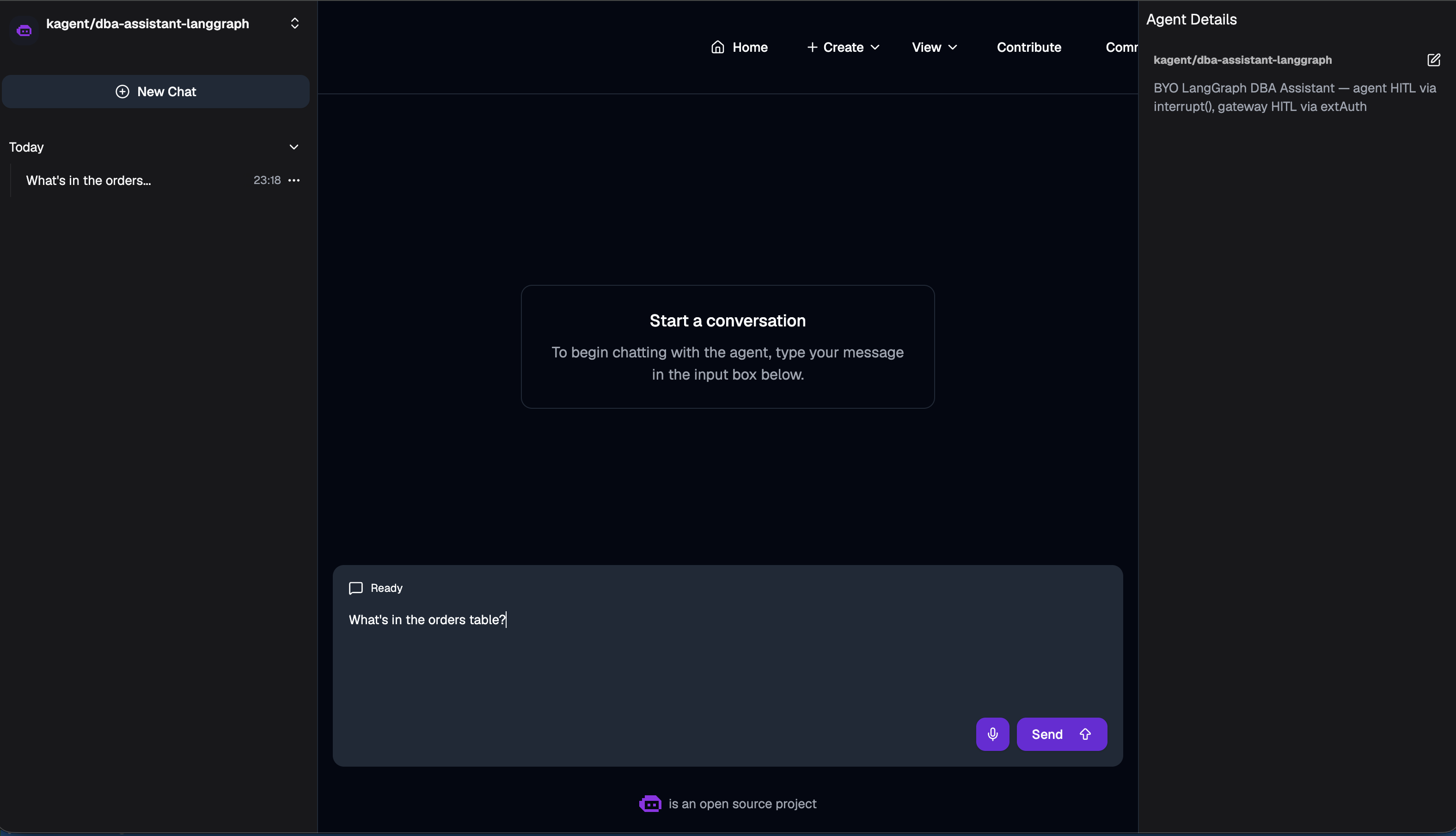
dba-assistant-langgraph agent (or the declarative one — they behave identically), then Send.cluster_db_query tool, runs SELECT * FROM orders through the un-gated /public/mcp endpoint, and prints the rows back. Both tabs stay quiet — no approval prompt anywhere.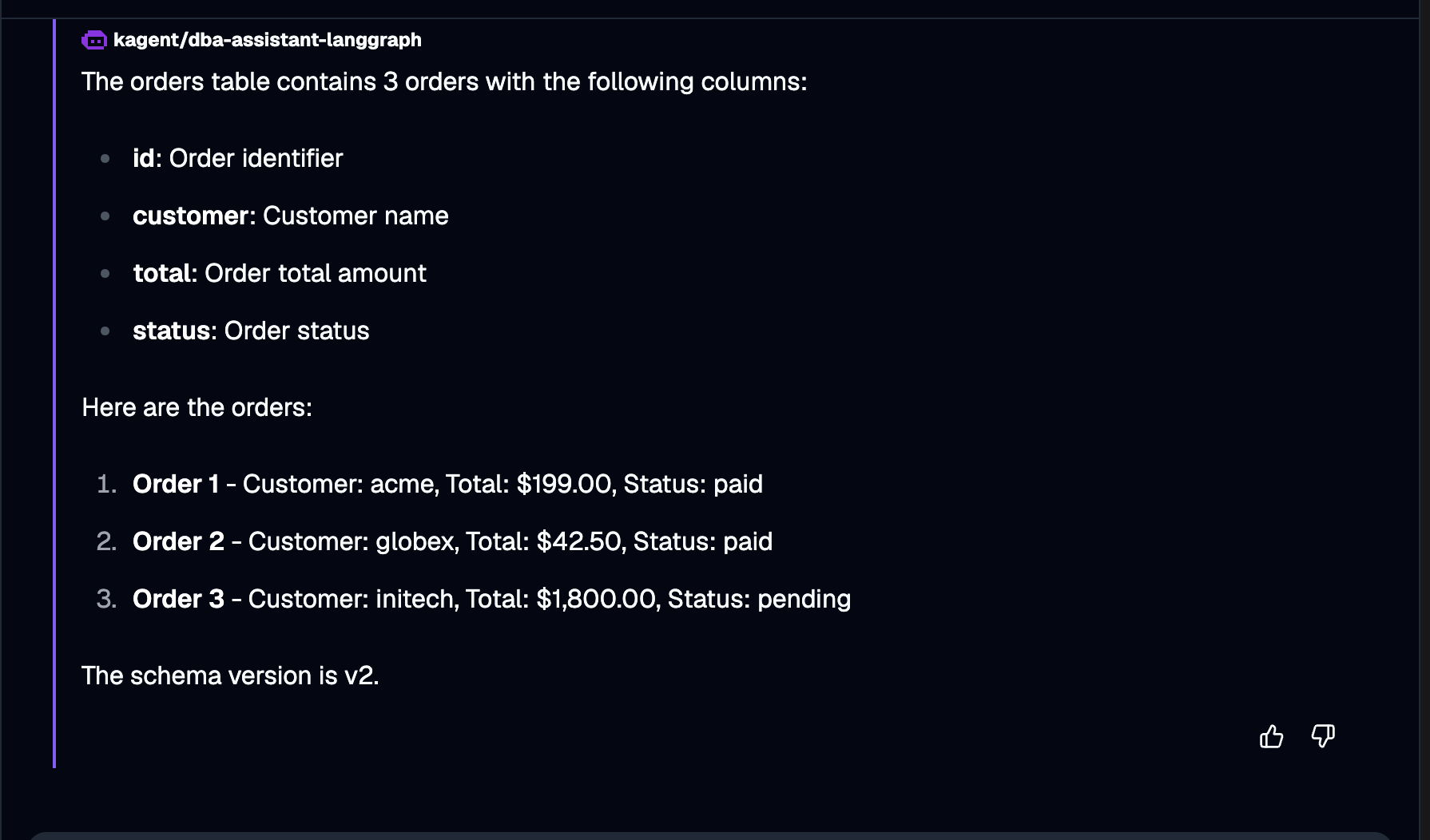
v2) — useful context for Scene 3.SELECT — that's the trap to avoid. Note the schema version v2 in the reply; that's the "before" state for the migration scene later.
Scene 2 — a destructive action you own. You approve it in the chat.
truncate_table tool but pauses. An approval card appears inside the chat itself, showing the tool name, its arguments, and Approve / Reject buttons. The platform queue tab (localhost:8090) stays empty — this is your call.
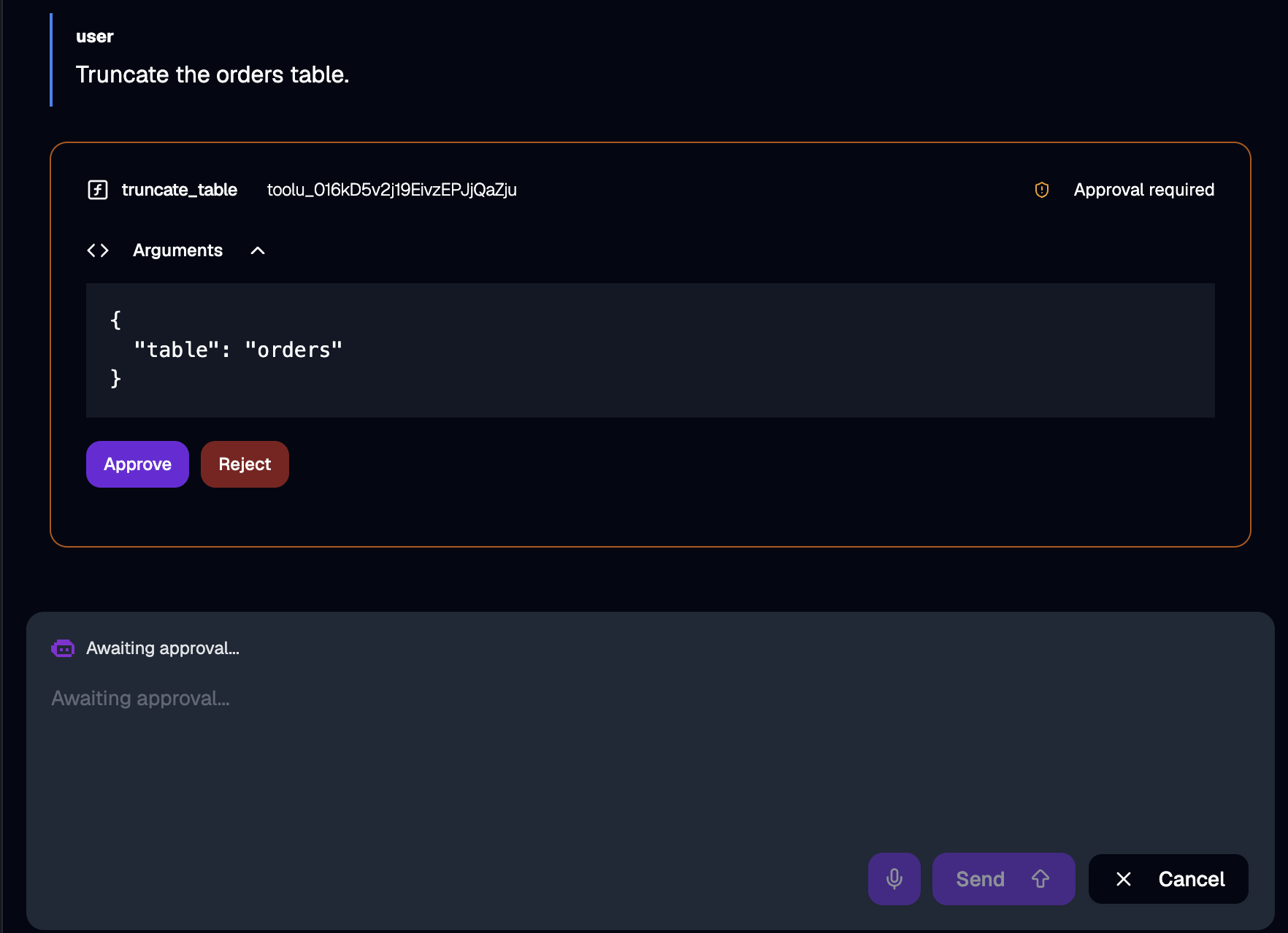
/public/mcp, and the agent confirms the table is now empty.requireApproval: [truncate_table] on the declarative agent, or by a LangGraph interrupt() in the BYO variant — both render the same card.
Scene 3 — a privileged action the platform owns. They approve it in a separate UI.
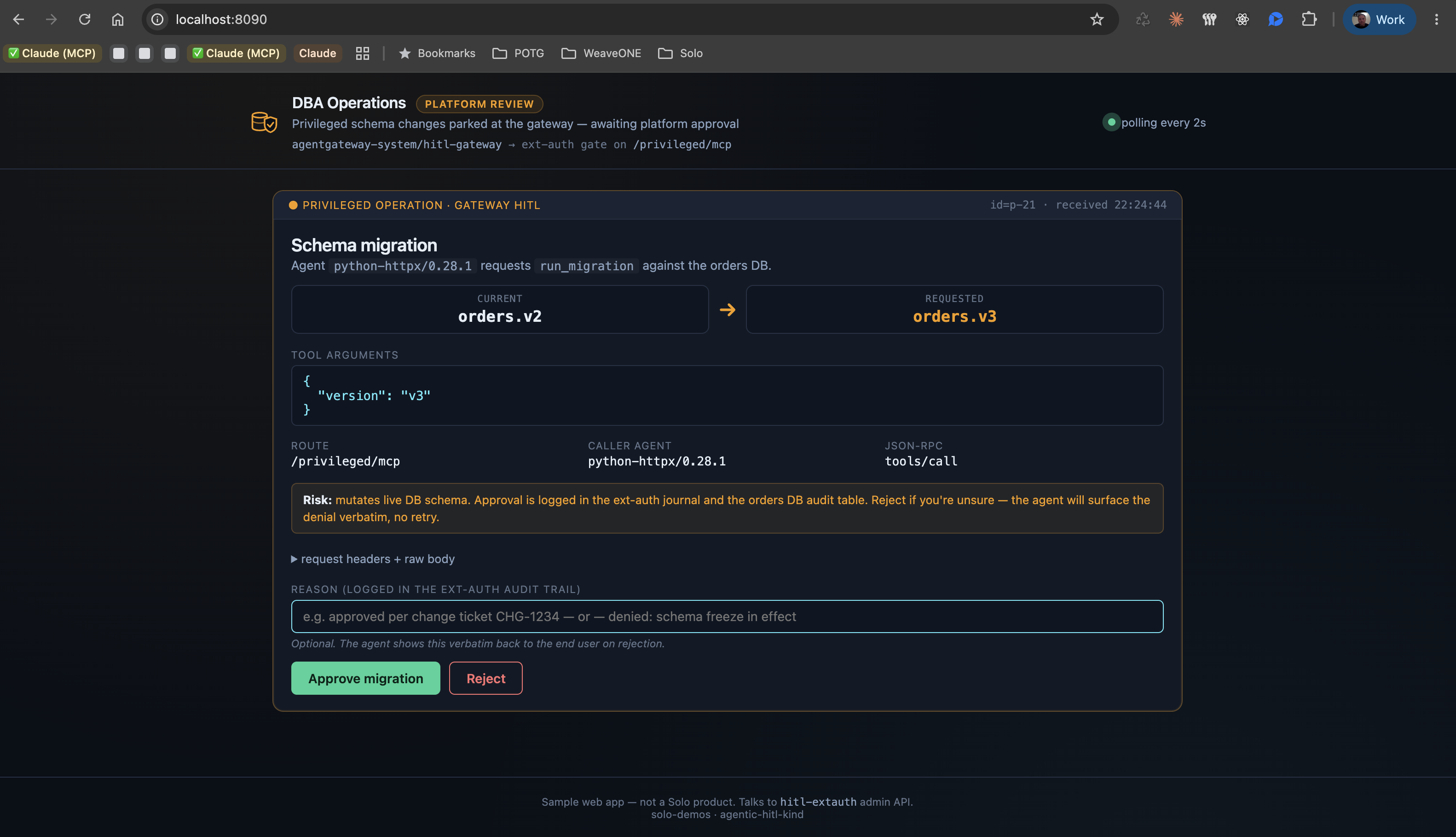
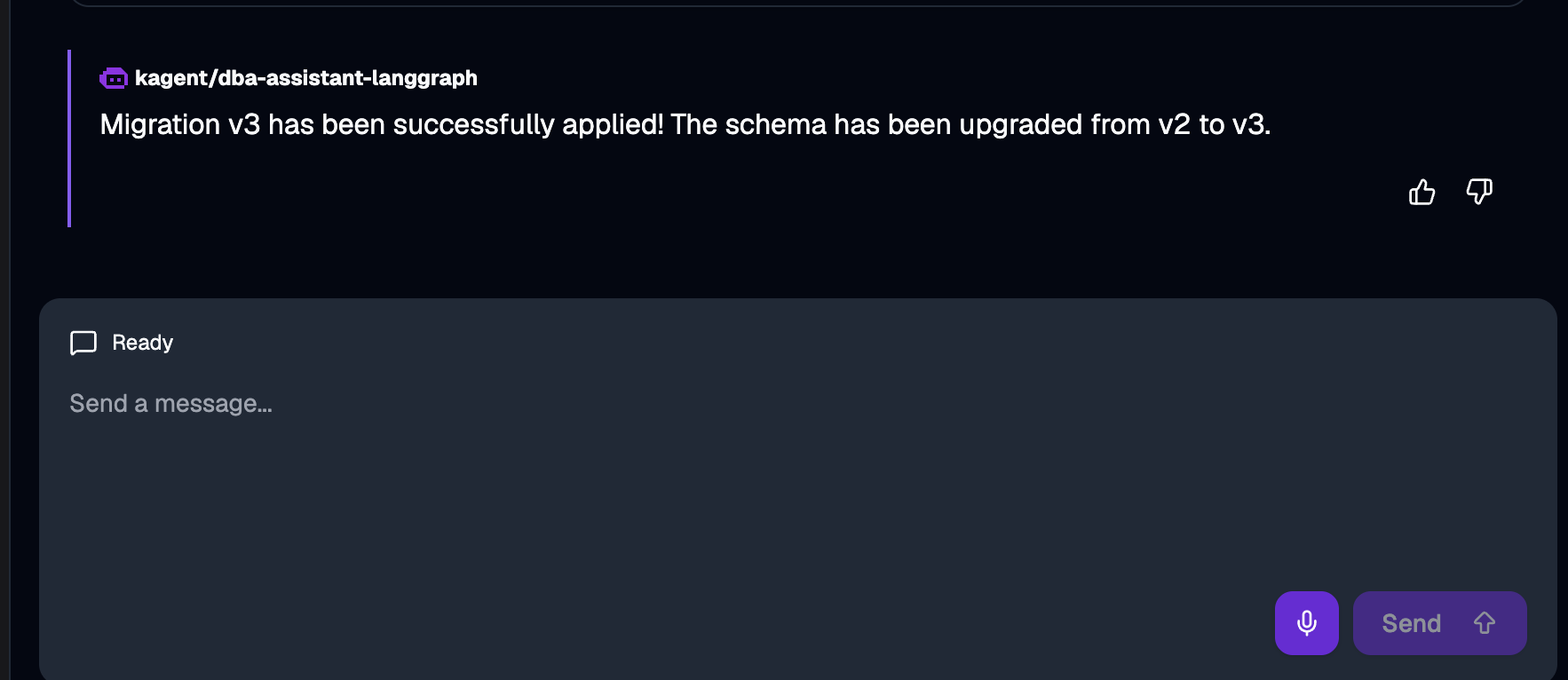
v2. run_migration("v3") bumps it to v3. (In a real system, this is "apply pending DB migrations" — a privileged operation a regular developer can't do themselves.) The point isn't what v3 changes; it's that schema changes don't get to bypass platform review just because an agent asked nicely.
(kagent chat)
run_migration("v3") and starts the call. The chat shows the tool dispatched as Call requested and the agent enters Executing tools… — and then hangs there waiting. No approval card in the chat this time.
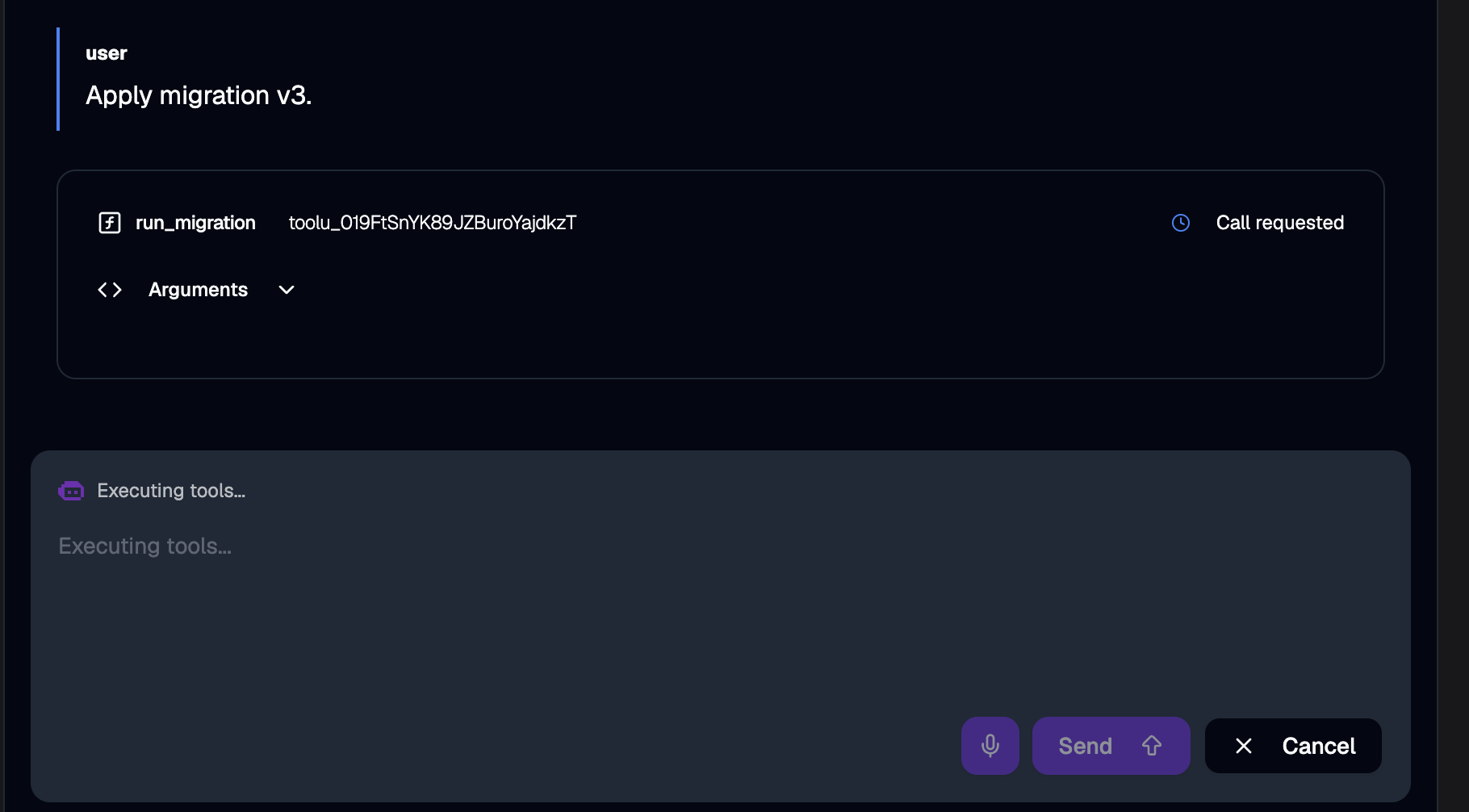
http://localhost:8090. A card has appeared with the migration framed as a schema change.
Scene 4 — what rejection looks like
Inspecting state while it runs
Bashpoke at the running cluster — DB state, queue contents, ext-auth log
# Mock DB state + audit log
kubectl --context kind-hitl -n ops-tools port-forward svc/ops-tools 8081:8080 &
curl -s localhost:8081/state | jq

# Pending requests directly from ext-auth (bypass the UI)
kubectl --context kind-hitl -n hitl exec deploy/hitl-extauth -- \
  wget -qO- http://localhost:8081/pending | jq

# Watch ext-auth log lines as Check() is called and decisions arrive
kubectl --context kind-hitl -n hitl logs -f deploy/hitl-extauth
Teardown
./scripts/quick.sh teardownTalking points
- Two role boundaries, one MCP server. The gate is at the gateway for cross-team trust; at the agent for end-user consent. Mixing them up is the design smell.
- Path-based gating beats body inspection for the simple case — visible in the topology, no CEL.
- A parking ext-auth is a real pattern. Envoy's
Check()may take however long it takes. The agent's tool call simply hangs as “pending” until a decision arrives. - Same wire from the agent's perspective. Whether the gate is in the agent
(
requireApprovalor LangGraphinterrupt()) or at the gateway (extAuth), the tool call is a single MCPtools/callthat either succeeds, fails with a reason, or — for the gateway case — pauses for a while first. - The hitl-ui is a sample web server, not a Solo product. Solo's ext-auth gRPC API is the narrow Solo-supported integration; the UI is your own code, swappable for Slack, Backstage, ServiceNow, or whatever your platform team already uses.
See also
- kagent — Human-in-the-Loop docs
- kagent — canonical BYO LangGraph HITL sample
- Solo Enterprise agentgateway docs
Versions
Built and verified on:
v1.4.0v1.3.0-alpha.1